Alchemy Factory Save Sharing Guide - Co-op Without Host Limits
Share your Alchemy Factory save with friends so anyone can host. Use SaveSync to keep your production lines running without the host.
Alchemy Factory is an automation game where you build intricate production chains, combine ingredients through alchemical processes, and scale up your operations into a sprawling factory. Playing co-op lets you tackle the complexity together - one friend manages ingredient sourcing while another designs the processing pipeline.
But the save file lives on the host’s machine, and when they are offline, your entire factory goes dark. In a game where progress is measured in carefully designed automation setups, being locked out means lost time and broken momentum.
How SaveSync Keeps Your Factory Online
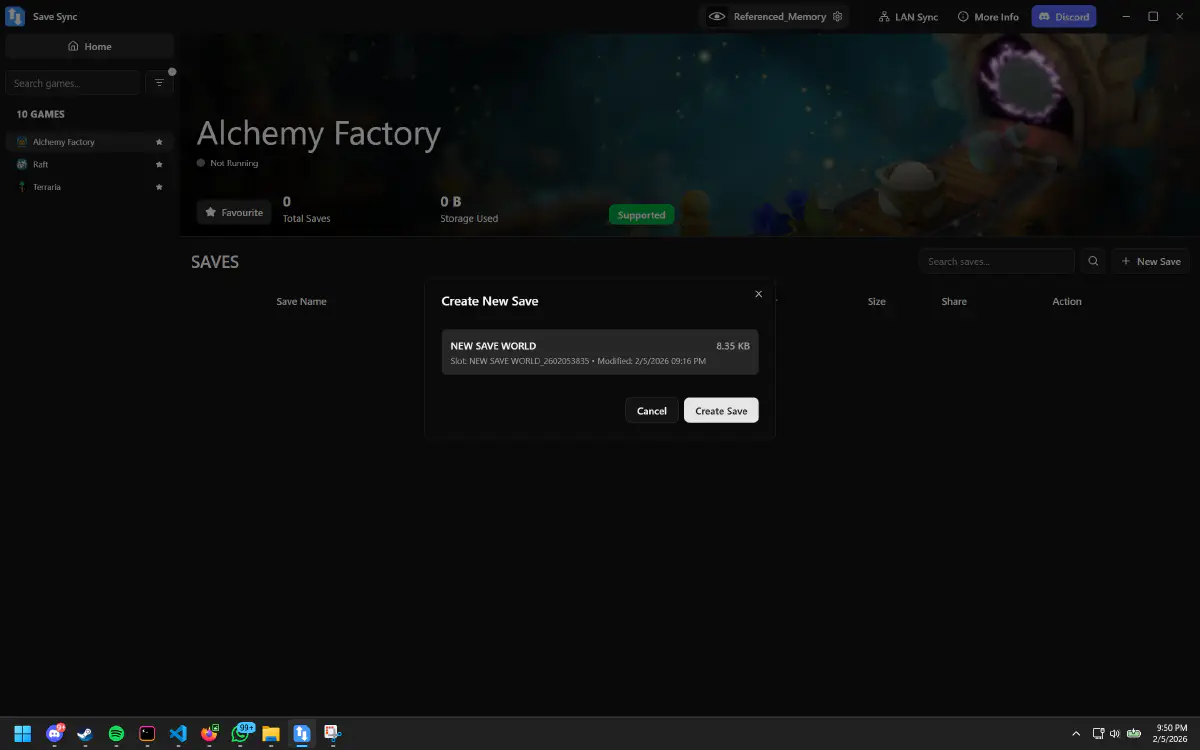
SaveSync synchronizes your Alchemy Factory save to every player in your group. After each session, the updated save is distributed automatically. Any player can load it and host, so the factory never stops because of scheduling conflicts.
How to Set Up SaveSync for Alchemy Factory
- Install SaveSync from Steam. Every player in your group needs it.
- Create a sync group and invite your co-op partners.
- Set the Alchemy Factory save path in SaveSync. The Alchemy Factory SaveSync guide includes the exact folder locations and step-by-step setup.
- Play and build as you normally would. SaveSync watches for save changes and syncs them when the session ends.
- Any player can host next. Load the synced save, and your production lines are exactly where you left them.
One-time configuration, automatic sync from that point on.
Why Use SaveSync Instead of Manual File Sharing
Automation games produce saves that are large and change substantially every session. Manual approaches create real risks:
- Complex setups are hard to reconstruct. If someone loads a save that is even one session old, they might overwrite hours of careful pipeline design. SaveSync ensures everyone always has the latest version.
- File management is tedious. Uploading, downloading, and placing save files in the correct directory before every session is the kind of repetitive manual work that an automation game should teach you to eliminate.
- Version conflicts are destructive. Two players building on different versions of the save cannot merge their work. SaveSync’s synchronization model prevents this entirely.
- Cloud drive sync is not game-aware. Generic tools like Google Drive or Dropbox do not understand save file structures and can create partial syncs or conflicts.
SaveSync is purpose-built for game saves. It understands versioning, handles large files efficiently, and works seamlessly alongside Steam.
Automate Your Save Management Too
You are playing a game about automation - your save sharing should be automated too. SaveSync handles the logistics so you can focus on what matters: designing the perfect alchemical production chain.
Whether you are experimenting with new recipes or scaling up existing processes, SaveSync ensures your group’s factory is always accessible.